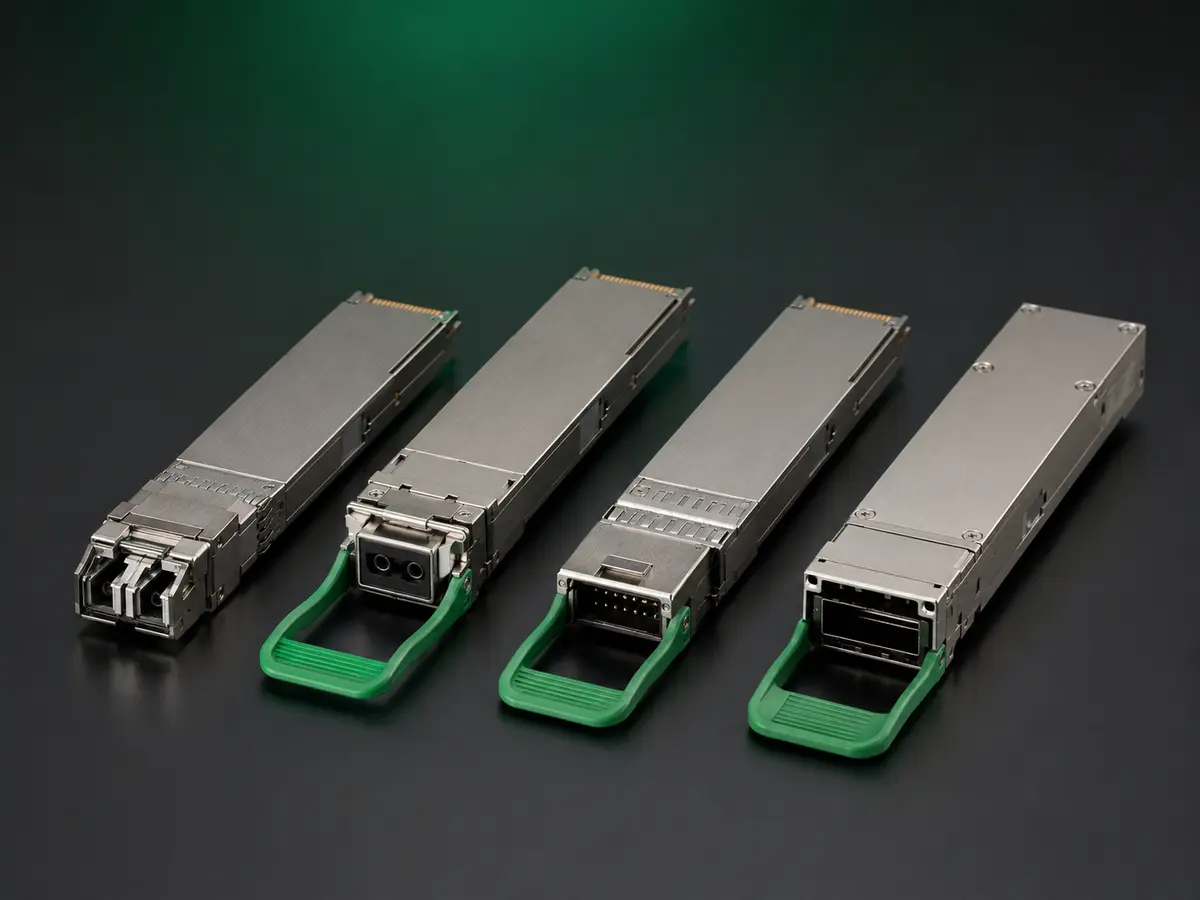
A 100G QSFP28 module is compatible only when it operates reliably in the exact host, software, port mode, fibre route and recovery conditions required by the deployment. Mechanical fit and an initial link light are not enough. This guide shows how to define, test and document compatibility so that a successful sample can become a controlled production and repeat-order reference.
Write a compatibility claim that can be tested
Replace broad phrases such as “Cisco compatible,” “universal” or “works with 100G switches” with a named boundary. Record the host manufacturer, chassis or appliance, line card or NIC, hardware revision, operating-system release, port identifier and intended mode. If two different platforms form the link, both endpoints belong in the claim.
State whether the module must support native 100G only, breakout operation, or a migration between modes. Record the optical standard or architecture, connector and fibre type, required reach, temperature class and FEC policy. A compatibility result is valid only inside this written boundary.
Separate host compatibility from optical-path suitability
A host may recognise a module even when the optical path is incorrectly designed. Conversely, a module may have adequate optical performance but be rejected by host coding or software policy. Test these as separate questions: first whether the host accepts and manages the device, then whether the complete link has adequate power, margin and stability.
| Layer | What to verify | Evidence to retain |
|---|---|---|
| Identification | Part identity, vendor fields, serial, wavelength and capability data | Host inventory output and module memory record |
| Management | DOM/DDM readings, alarms, thresholds and status reporting | CLI or management-platform capture |
| Link | Speed, lane state, FEC, received power and error counters | Port status, counters and optical readings |
| Traffic | Sustained load, frame-size range and bidirectional stability | Traffic-test result and duration |
| Recovery | Cold boot, warm restart, disable/enable and cable restoration | Timed event log and final state |
Build the host and software matrix
Create one row for each hardware and software combination that must be supported. A pass on one line-card generation does not approve another generation, even when the front-panel port looks identical. Firmware and operating-system changes can also modify module allow-lists, FEC defaults, alarm handling and breakout commands.
Prioritise the combinations that carry the greatest operational risk: the oldest supported hardware, the newest planned software, mixed-vendor endpoints and any platform with strict coding behaviour. Mark untested combinations as untested rather than extending a claim by assumption.
Confirm the optical and electrical mode
QSFP28 can represent different optical architectures and lane arrangements. Confirm that the proposed module matches the host’s electrical interface and the network’s optical design. Record whether the port uses four 25G electrical lanes for native 100G, a breakout mode, or another supported configuration. Validate the actual command and cable arrangement for every required mode.
Check FEC expectations on both ends. Some designs rely on a particular FEC state; others may link with an unintended setting while accumulating errors or hiding insufficient margin. Capture configured, negotiated and active FEC states together with corrected and uncorrected error counters.
Prepare samples that represent production risk
Do not base fleet approval on a convenient engineering unit with no relation to production. Ask the supplier to identify the sample’s coding profile, hardware revision, firmware condition, label and production source. Where order risk justifies it, test more than one serial and retain at least one approved reference unit.
The sample request should prohibit silent substitutions between validation and production. If the production lot will use a different component, revision or source, require disclosure and decide whether partial or full revalidation is necessary.
Run a staged validation sequence
Start with a controlled baseline. Inspect the connector, clean the interface, verify the fibre route and record host configuration before insertion. Capture module recognition, inventory fields, DOM/DDM values, alarms, FEC state and initial counters. This baseline lets the team distinguish a module problem from a dirty connector, wrong polarity or incorrect port configuration.
Then apply sustained bidirectional traffic using the frame sizes and load relevant to the deployment. Monitor optical power, temperature, voltage, FEC and error counters throughout the run. The acceptance record should state duration and limits; “traffic passed” without conditions cannot be reproduced.
Test restart and recovery behaviour
Operational compatibility includes events that occur during maintenance and outages. Test cold boot of the host, warm restart, port disable and enable, module removal and reinsertion, and fibre removal and restoration. Record how long the port takes to return and whether manual intervention is required.
For redundant or production-critical networks, include the recovery sequence used by operations. A module that links normally but fails after a warm restart or leaves stale alarms is not fully compatible with that operating model.
Validate diagnostics instead of merely displaying them
Digital diagnostics should be plausible, stable and useful for fault investigation. Compare reported temperature, voltage and optical levels over time and under known changes. Review alarm thresholds and confirm that the host does not suppress or misinterpret important warnings.
Absolute agreement with external instruments depends on method and tolerance, but clearly impossible values, frozen readings or unstable jumps require investigation. Retain raw host output rather than copying only a final pass statement.
Classify failures before changing anything
When a test fails, preserve the initial state. Classify the symptom as recognition, coding, port configuration, FEC, optical power, polarity, cabling, traffic stability, temperature, software or recovery. Change one meaningful variable at a time and record the result. Multiple simultaneous changes may restore the link while hiding the root cause.
| Symptom | First checks | Avoid |
|---|---|---|
| Module rejected | Host policy, coding fields, software release and approved part profile | Assuming optical failure |
| Link stays down | Port mode, FEC, fibre type, polarity, cleanliness and far-end configuration | Replacing random components together |
| Link flaps | Optical margin, connector condition, temperature, alarms and counters | Accepting a short link-up as a pass |
| Errors under load | FEC state, received power, lane counters, route loss and traffic pattern | Clearing counters before capture |
| Fails after restart | Boot sequence, firmware, module initialisation and port configuration | Approving only steady-state operation |
Define acceptance criteria before the test
A useful test plan states what constitutes a pass. Typical criteria cover correct recognition, stable diagnostics, expected FEC state, zero uncorrected errors, acceptable corrected-error behaviour, stable traffic, adequate optical margin and recovery within the operational limit. The exact limits must come from the platform, optical specification and deployment risk.
Record exceptions separately with an owner, scope and expiry or revalidation trigger. Changing the requirement after a failure is not validation unless the business and technical owners consciously approve the new boundary.
Turn the approved sample into a production reference
Link the approval record to the module identity, coding profile, label revision, hardware or firmware condition and supplier quotation. Production purchase orders should repeat these references. Receiving inspection can then compare labels, serial or lot information, host recognition and selected functional checks with the approved state.
Require change notification for any element that could alter compatibility. A repeat order should not rely on the commercial part name alone; it should point to the controlled configuration that passed validation.
Compatibility evidence for an RFQ
Send the supplier a compact matrix rather than a generic request. Include host models, hardware revisions, software releases, port modes, optical architecture, fibre route, FEC policy, sample quantity and required evidence. Ask the response to identify supported rows, exclusions and rows that still require buyer testing.
MingApex can coordinate this process through a structured technical RFQ, including proposed part confirmation, host-specific coding scope, sample identification, validation records, label control and repeat-order references. Compatibility remains limited to the configurations actually reviewed or tested.
Release checklist
- The compatibility boundary names both endpoints, hardware and software.
- Optical architecture, fibre, connector, reach and FEC are confirmed.
- Samples are tied to the proposed production configuration.
- Recognition, diagnostics, traffic and error counters are recorded.
- Cold boot, warm restart and cable recovery are tested.
- Failures and borderline results remain in the evidence file.
- Acceptance limits and exceptions have named owners.
- The approved identity is referenced by production and repeat orders.
TECHNICAL RFQ
Turn your part number or project list into a reviewed quotation.
Share the available technical data. MingApex will structure the requirement, identify open compatibility questions and coordinate the supply review in China.
- Host platform or reference part number
- Speed, form factor and required reach
- Wavelength, fibre and connector
- Quantity, sample and delivery target
- OEM label or packaging requirement
- Destination country and Incoterm